Firing My Chatbot: A Pragmatic Developer's Guide to the 'Chain of Command' AI Stack

It is 2025, and the initial intoxicating "magic" of generative AI has officially worn off. We have moved past the hype cycle where generating a simple Python script felt revolutionary, and landed squarely in the "Post-Hype" reality where results are all that matter.
For many developers, this new reality is frustrating. Looking around the industry, I see peers falling into two distinct traps. The first is the "Context Switching Tax." You know the feeling: your mind is on fire, deeply embedded in complex component logic. You hit a snag. You Alt-Tab away from your IDE to a browser-based chatbot, paste your code snippet, wait, copy the answer, and Alt-Tab back. By the time you return, that fragile "flow state" has evaporated.
The second trap is more insidious: blind trust. Too many developers are letting AI drive the car while they fall asleep in the passenger seat, accepting hallucinated libraries or structural messes because "the chatbot said so."
I realized that to actually gain productivity in 2025, I didn't need more AI; I needed the right AI, applied in the right way. I needed to stop treating AI as a magic wand and start treating it as a junior staff member. I needed to become the Supervisor.
This realization led me to dismantle my reliance on generalist chatbots and build a specialized "Productivity Stack." It’s a five-tool workflow centered around a philosophy I call the "Chain of Command," designed to keep me in control while maximizing efficiency.
The "Chain of Command"
The core problem with relying solely on free or general models is inconsistency. Sometimes they are brilliant; other times they fail at basic arithmetic. Yet, paying for high-end API credits for every single keystroke is financially unsustainable.
My solution is to treat my stack like a construction firm:
- The Architect (High IQ / Paid): I use the smartest model available for high-level planning and reasoning. This is the only part of the stack I pay for.
- The Builder (Lower IQ / Free): I use a deeply integrated, free agent for the actual coding. It doesn't need to be a genius; it just needs to follow instructions perfectly.
If I feed a messy, half-baked idea directly into a free coding agent, it fails. But if I feed that idea into my "Architect" AI first and ask it to refine the plan into precise instructions, the "Builder" agent suddenly performs like a senior engineer. This workflow optimizes both cost and quality.
Here is the stack that makes this reality possible.
The Builder: Kilo Code (VS Code Extension)
The first step was eliminating the context-switching tax. I needed an AI that lived where I worked inside VS Code but I wasn't willing to migrate to an entirely new, unfamiliar AI-native IDE.
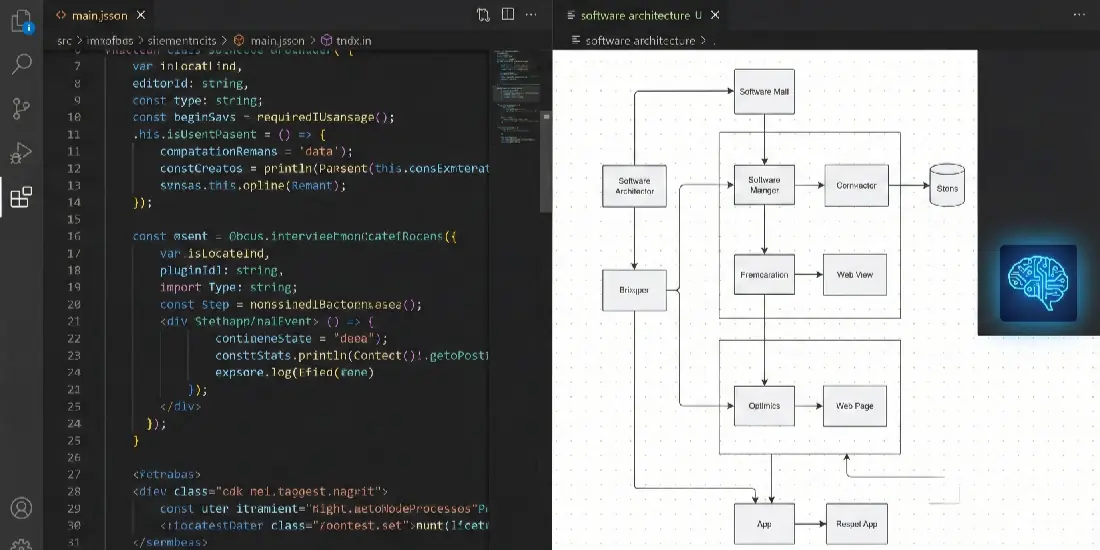
A visualization of the 'Architect Mode' where raw code syntax and visual structural flowcharts exist side-by-side in the editor.
My choice is Kilo Code. It feels less like a plugin and more like a pragmatic junior developer sitting next to me.
The killer feature that reinforces the "Supervisor" mindset is its Architect Mode. Most AI tools have a "shoot first, ask questions later" mentality you ask for a feature, and they immediately vomit code. If the underlying logic is flawed, you've just generated technical debt at light speed.
With Architect Mode, I paste my requirements, and Kilo generates a comprehensive software plan, complete with diagrams and design patterns, before writing a single line of code. I review the plan. Does the data flow make sense? Are the components decoupled? Only once I "sign off" on the blueprint do I switch it to Code Mode for execution. This "measure twice, cut once" approach saves hours of debugging later.
The Architect: Gemini Advanced (Browser-Based)
This is the brain of the operation, and the only paid tier in my stack. While free models are fine for casual queries, global benchmarks and my own experience show that top-tier models like Gemini Advanced (Pro) possess superior reasoning capabilities.
I use it for what I call the "Sandwich Workflow." I never just ask the AI to "build me an app."
- The Bottom Bun (Research): I use Gemini's deep research capabilities to scour live documentation and best practices, ensuring I'm not using deprecated methods.
- The Meat (Human Synthesis): I take that research and create my own plan. I decide the structure and goals. I am the architect.
- The Top Bun (AI Polish): I feed my rough plan back into Gemini with a specific command: "Act as a Senior Lead and refine this plan into a strict, step-by-step prompt for a junior coding agent."
Gemini catches my logical holes and formats the instructions perfectly. I then take that polished prompt and hand it to Kilo Code.

A metaphorical representation of how advanced AI refines a messy pile of raw research into a precise, usable prompt.
The Pragmatic Core: Terminal, Testing, and Memory
The final three tools in the stack are defined by what they are not. They are not flashy, expensive AI "reinventions" of things that already work perfectly fine.
3. The Infrastructure: Native VS Code Terminal
There is a massive push to sell "AI-Native Terminals" that promise to write complex shell commands for you. I reject this hype. The terminal doesn't need to be "smart"; it needs to be stable.
I stick to the standard, built-in VS Code terminal (PowerShell). It’s fast, free, and already there. If I need a complex cloud infrastructure command, I don't need an AI terminal to guess it I already derived the exact command during my research phase with Gemini. I paste it in and execute. Simplicity beats hype.
4. The Inspector: Thunder Client (VS Code Extension)
This is the only non-AI tool in the list, and that is intentional. My fundamental philosophy is that having the entire workflow done by AI is a recipe for disaster. You cannot use AI to test AI.
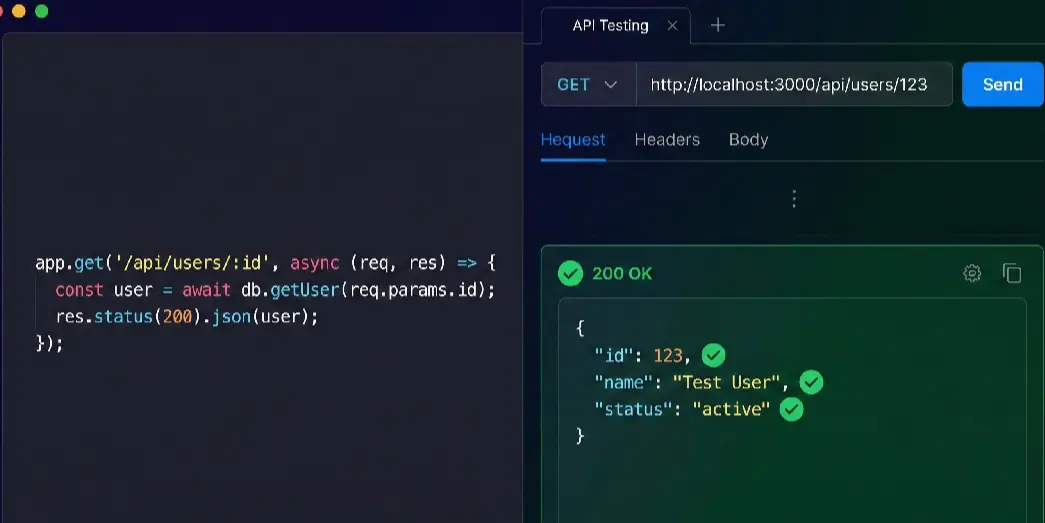
A split-screen interface demonstrating the necessary contrast between writing automated code and manually verifying it with API tests.
When Kilo Code generates a new API endpoint, I don't just assume it works. I immediately open Thunder Client a lightweight API tester that lives inside VS Code in a split pane. I manually fire the request and verify the actual response. This keeps me grounded in reality. I am not hoping the code works; I am proving it works.
5. The Vault: Notion
The most valuable asset in an AI-driven workflow isn't the generated code; it's the Prompt that created it. If you lose the detailed architectural instructions you gave the AI, you lose the software's DNA.
I use Notion as my project memory. I draft my "CEO-friendly" visions there. I paste the refined, polished prompts from Gemini there. When I need to update the app six months later, I don't stare at the code trying to remember how it was built. I go back to Notion, grab the original architectural blueprint, and feed it back into the AI context.
The Human Element

A symbolic image highlighting the essential role of human supervision in completing and validating the AI-generated structure.
Moving from a chaotic chatbot reliance to this structured, five-tool stack didn't just make me faster; it made my software better. It forced me to stop being a passive consumer of AI output and remember that this is, ultimately, the user's software, not the AI's.
The definition of a great developer in 2025 isn't someone who types fast or has memorized every API. It's someone who can effectively supervise a team of digital agents to build reliable, valuable products.
As you build your own stack, keep this guiding principle in mind: Use AI to build faster, but don't use it to skip learning. Always remember you are the developer, not the AI agent.